Giveaway: iTop Data Recovery 6 PRO License Key for Free
Introduction
Data loss can happen unexpectedly—whether from accidental deletion, system crashes, virus attacks, or disk formatting. Losing important documents, photos, or videos can be frustrating, especially if there’s no backup available. Fortunately, data recovery software like iTop Data Recovery 6 provides an efficient solution for restoring lost files.
Developed by iTop, this software is designed to help users recover deleted or inaccessible data from different storage devices. With a simple interface and advanced scanning algorithms, iTop Data Recovery 6 aims to provide fast and reliable file recovery for Windows users.
This article explores the features, advantages, disadvantages, and how to use iTop Data Recovery 6 to restore lost data.
What Is iTop Data Recovery 6?
iTop Data Recovery 6 is a Windows-based data recovery tool that helps users restore deleted, formatted, corrupted, or lost files from various storage devices such as hard drives, SSDs, USB drives, and memory cards.
The software supports over 1000 file formats and can recover data from more than 300 storage devices, making it a versatile solution for different data loss scenarios.
It uses advanced scanning algorithms and deep scan technology to locate recoverable files that may still exist on the storage device even after deletion.
iTop Data Recovery 6 PRO License Key for Free
Giveaway License Key: BCE1F-5ADD3-3BCD4-15E46
Download the free version of iTop Data Recovery 6 from the Official Website
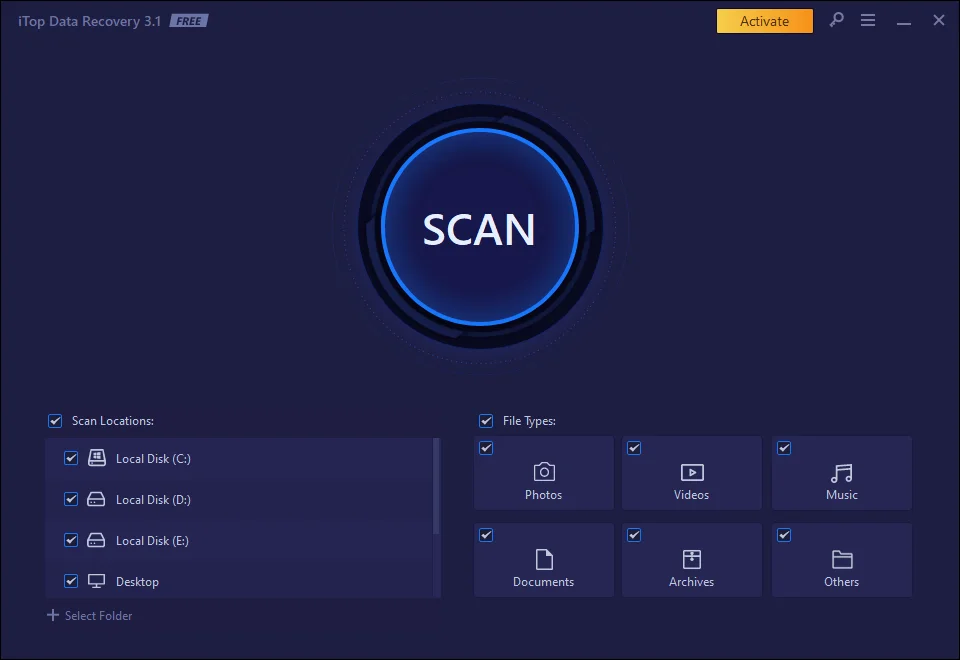
Key Features of iTop Data Recovery 6
1. Recover Lost Files from Multiple Scenarios
iTop Data Recovery 6 can restore files lost due to various reasons, including:
- Accidental file deletion
- Hard drive formatting
- System crash or corruption
- Virus or malware attacks
- Partition loss or damage
- Recycle Bin deletion
This makes it a useful tool for both personal users and IT professionals dealing with data loss issues.
2. Support for 1000+ File Types
The software can recover many types of files, including:
- Photos (JPG, PNG, TIFF, etc.)
- Videos (MP4, AVI, MOV, MKV)
- Documents (DOCX, XLSX, PDF, TXT)
- Audio files (MP3, WAV, FLAC)
- Compressed archives (ZIP, RAR, 7Z)
Support for a wide range of formats increases the chances of recovering important files.
3. Recovery from Various Storage Devices
iTop Data Recovery works with many types of storage devices, such as:
- Internal hard drives (HDD)
- Solid-state drives (SSD)
- USB flash drives
- Memory cards
- External hard drives
- Cameras and removable media
The software can also recover files from NAS devices and allows cloud recovery in newer versions.
4. Quick Scan and Deep Scan Modes
The program offers two scanning modes:
Quick Scan
- Fast scanning
- Ideal for recently deleted files
Deep Scan
- More thorough scanning
- Searches for deeply hidden or formatted data
Deep Scan helps recover files from complex data loss situations.
5. File Preview Before Recovery
Before recovering files, users can preview them directly inside the software. This feature helps confirm whether the file is intact and worth recovering.
Preview supports files such as:
- Images
- Videos
- PDFs
- RAW photos
This reduces unnecessary recovery and saves time.
6. High Recovery Success Rate
According to the developer, iTop Data Recovery offers a recovery success rate of up to 95%, depending on the condition of the storage device and whether the data has been overwritten.
However, like any data recovery tool, it cannot guarantee 100% recovery in every situation.
7. Safe Offline Recovery
All recovery processes run locally on the user’s computer. This means:
- No files are uploaded to external servers
- Sensitive data remains private
- Recovery is performed securely offline
This approach ensures better security for personal files.
What’s New in iTop Data Recovery 6
Version 6 introduces several improvements, including:
- NAS device scanning support
- File preview for NAS devices
- Ability to recover files directly to cloud services such as Google Drive or Dropbox
- Enhanced deep scanning engine
- Faster scanning speed
- Improved user interface
These updates make the software faster and more convenient for modern data recovery needs
