

Introduction
In today’s digital world, the ability to capture, edit, and share screen content efficiently is essential for professionals, educators, and everyday users alike. Ashampoo Snap 16 is a powerful tool designed to simplify this process, offering a comprehensive set of features for screenshots and video recordings. Developed by Ashampoo, this software combines ease of use with advanced functionality, making it a popular choice for both beginners and advanced users.
You can download it here: https://cdn1.ashampoo.net/public/ashglob/2924/ashampoo_snap_16_48640.exe
Giveaway: Ashampoo Snap 16 License Key Free
Step 1: You visit theLanding page: https://www.ashampoo.com/loc/redeem
Step 2: You copy and paste the redeem code: snap16
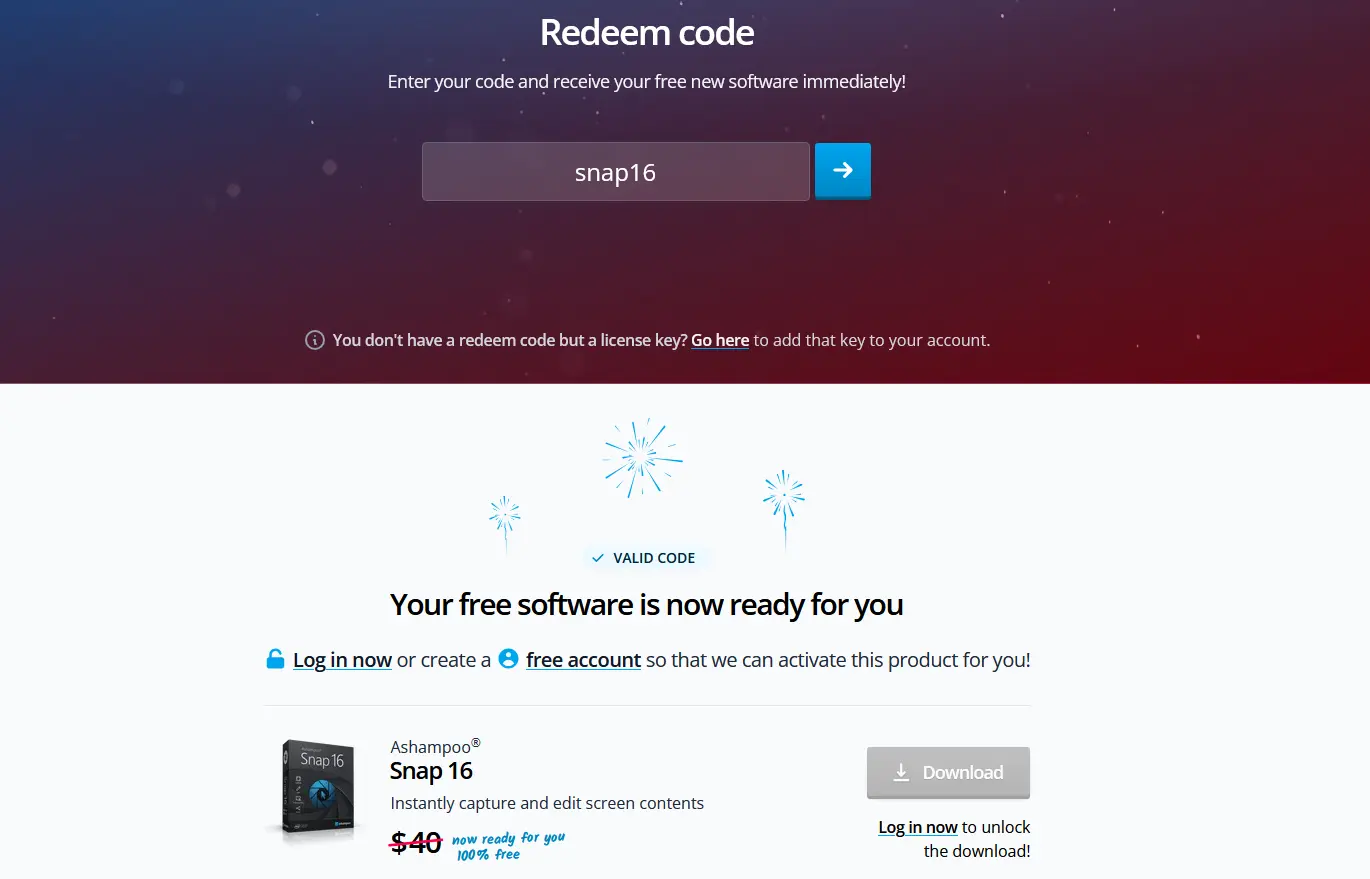
Step 3: You create free account then you download Ashampoo Snap 16.
Key Features
1. Versatile Screen Capture
Ashampoo Snap 16 allows users to capture virtually anything displayed on their screen. Whether it’s a full screen, a specific window, or a custom region, the software provides flexible capture options. It also supports scrolling captures, enabling users to grab entire web pages or long documents seamlessly.
One of its standout features is the “two-click screenshot” system, which significantly speeds up the capture process and enhances productivity.
2. Powerful Editing Tools
After capturing an image, users can instantly edit it within the built-in editor. The software includes tools for:
- Adding text, arrows, shapes, and highlights
- Applying watermarks
- Blurring sensitive information
- Using auto-numbering for step-by-step guides
These features help transform simple screenshots into professional-looking visuals for tutorials, presentations, or reports.
3. Screen Recording and Video Features
Beyond screenshots, Ashampoo Snap 16 offers robust video recording capabilities. Users can record their screen along with audio, webcam input, and mouse activity.
A unique feature is real-time video annotation, where arrows and shapes can be added during recording to emphasize key points without post-editing.
Additionally, the software supports:
- Cutting and trimming video clips
- Creating GIFs from recordings
- Adding voice narration and keystroke visualization
4. Optical Character Recognition (OCR)
Ashampoo Snap 16 includes OCR technology that can extract text from images. It supports over 180 languages, making it highly useful for digitizing printed or on-screen text.
This feature is especially valuable for students, researchers, and professionals who frequently work with text-based content.
5. Improved Performance and User Experience
The software introduces a redesigned interface with a streamlined toolbar and improved “magic eye” tool for detecting screen elements. It also features:
- Faster processing and reduced memory usage
- Better support for multi-monitor setups
- Enhanced compatibility with high-resolution displays
These improvements ensure smooth performance across different systems and workflows.
Practical Use Cases
Ashampoo Snap 16 is suitable for a wide range of applications:
- Education: Creating tutorials, lessons, and demonstrations
- Business: Explaining workflows, reporting issues, and preparing presentations
- Content Creation: Producing videos, guides, and social media content
- Remote Work: Enhancing communication with visual explanations
Its “show, don’t tell” approach makes communication clearer and more engaging.
Advantages and Limitations
Advantages
- Easy-to-use interface with powerful features
- All-in-one solution for screenshots and video recording
- Real-time annotations and editing tools
- Wide language support with OCR
- Suitable for both beginners and professionals
Limitations
- Available only on Windows systems
- Some advanced features may require practice to master
- Newer versions (e.g., Snap 17) may include additional improvements
Conclusion
Ashampoo Snap 16 stands out as a versatile and efficient screen capture solution. With its combination of fast screenshot tools, advanced editing capabilities, and powerful video recording features, it caters to a wide audience—from casual users to professionals.
Whether you need to create tutorials, document processes, or share visual information quickly, Ashampoo Snap 16 provides the tools necessary to get the job done effectively.